

Technology Assessment: Benefits, Process, and Best Practices
The not-so-glamorous IT industry term “technology assessment” sounds like a chore, but you really need to think bigger. It may not be plastered like an upcoming blockbuster on the side of a building on Hollywood Blvd, but in relation to your business, it’s just as much of a big deal.
A technology assessment is a short, structured project that shows you where tech is helping, or quietly holding you back, and what to fix first. Technology is the backbone of your business and if it’s not humming, you’re in trouble. But when done right, it reduces risk, lowers costs, and aligns your systems with business goals.
If you take anything away from this article, it’s this: a technology assessment turns guesswork into a plan, where you are today, what’s urgent, what can wait, and the ROI behind each recommendation. Take it seriously and your technology will thank you.
What Is a Technology Assessment?
A technology assessment is a structured review of your critical systems, like your network, cloud apps, endpoints, voice/UCaaS, cameras, access control, data protection, and workflows. The outcomes usually include:
- A current state of your inventory with details of what you have and how it’s used
- Gaps are documented and risks prioritized by business impact and not just technical severity
- Quick wins vs. strategic upgrades, with budget ranges and timelines
The technology that drives modern business environments is integrated; that means phones tie into CRMs, security cameras integrate with access control, and cloud apps depend on resilient networks, so your assessment must look across categories and avoid using silos. Having the complete details is the first piece of the puzzle and puts together a 6–12 month action plan that your team, or Dove Communications, can execute.
Dove’s one-stop model means we can evaluate VoIP and UC, surveillance, access control, cabling/networking, and carrier services together for the most comprehensive assessment.
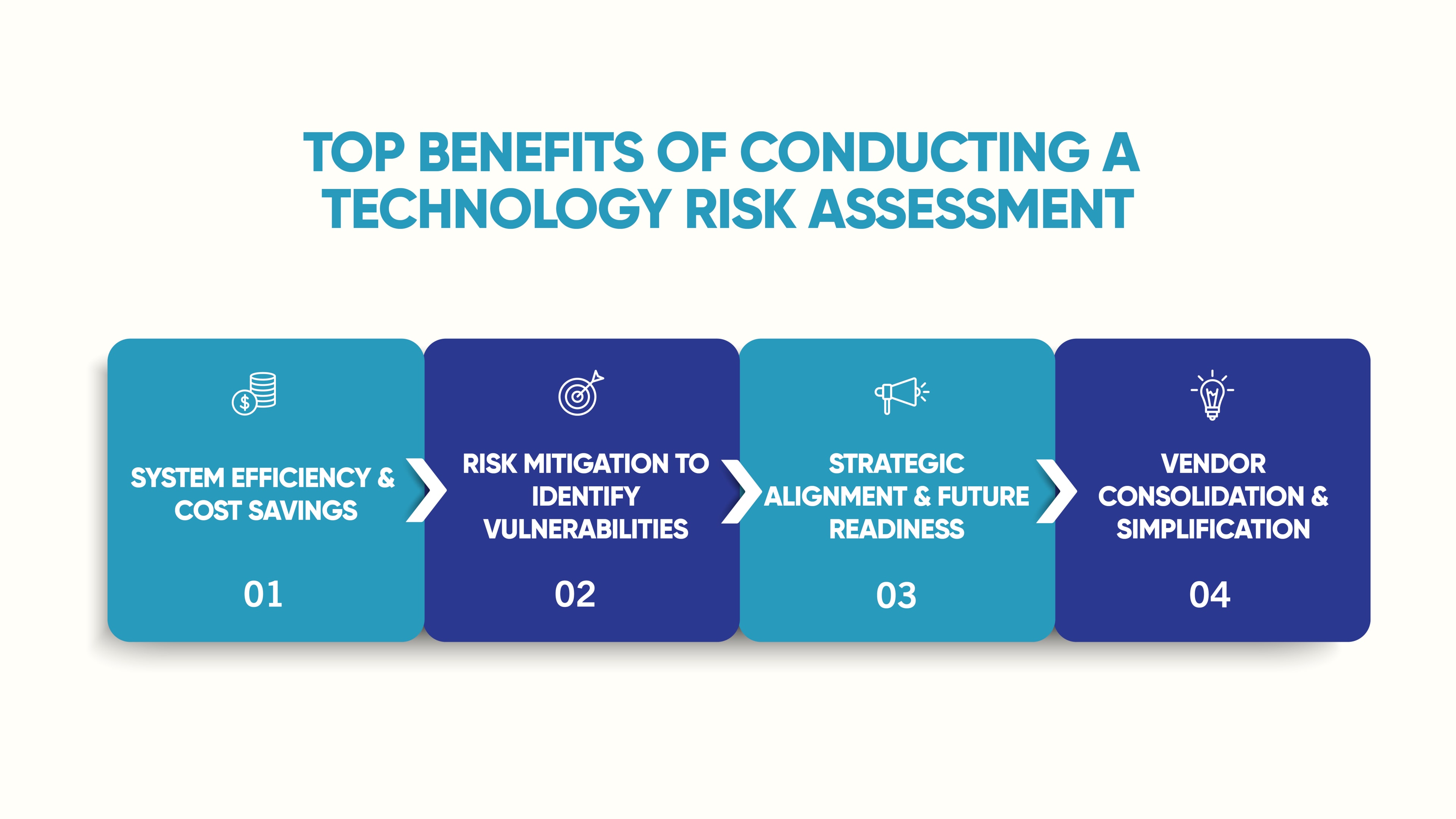
Top Benefits of Conducting a Technology Risk Assessment
1) System Efficiency & Cost Savings
The goal is to weed out the redundant tools, unused seats, and “good enough” setups that are quietly costing you money. For example, you could consolidate voice, video, and messaging into a single UCaaS platform and vendor, making this change will often lower the total cost of ownership.
Dove’s VoIP and UC solutions highlight features like auto-attendant, voicemail-to-email, meetings, and mobile apps, which frequently eliminate other paid apps.
2) Risk Mitigation to Identify Vulnerabilities
An assessment functions as a practical IT risk assessment tool that identifies camera blind spots, shared door codes, outdated NVRs, weak network practices, and missing MFA. Addressing what pops up raises both your physical and cyber strength.
Dove’s LA-focused security checklist approach makes it easy to score your current posture and prioritize fixes.
3) Strategic Alignment & Future Readiness
It’s a smart decision to tie tech upgrades to business goals: growth, new locations, compliance, or improved customer experience. Cloud-first options for surveillance and access control add scalability and remote management so your systems grow as you do.
4) Vendor Consolidation & Simplification
Working with one trusted partner for phones, cameras, access, cabling, and carriers reduces finger-pointing and speeds resolution.

Core Domains to Include in Your Risk Assessment
Networking and Connectivity
- What to check: Internet redundancy, QoS for voice, VLANs, Wi-Fi coverage, cabling health, switch firmware, and monitoring.
- Why it matters: Every cloud service depends on a clean, observable network.
Voice/UCaaS and Contact Flows
- What to check: Call routing, IVR, mobile apps, voicemail-to-email, conferencing, recordings, and integrations with a CRM or help desk.
- Quick win: Replace an aging, on-site PBX with UCaaS to consolidate tools and enable remote work.
Surveillance (CCTV)
- What to check: Complete coverage maps that cover entrances, parking lots, and loading docks. Then, provide camera health, night visibility, remote access, AI analytics, and retention policy.
- Best practice: Consider cloud-managed video for centralized management, remote clip sharing, and scalability.
Access Control and Intercom
- What to check: What are your credential policies (no shared PINs), visitor workflows, mobile access, audit trails, and video + access event linking?
- Best practice: Cloud access control integrates with cameras for faster investigations and simpler admin.
Endpoints, Data Protection, Cybersecurity Risks, and Identity
- What to check: MFA, patching, endpoint protection, backups, role-based access, and data retention.
- Tip: Align retention between video, access logs, and file backups to speed audits.
Policies, Training, and Response
- What to check: Business continuity playbooks for outages and incidents, mass notification capability, and staff training cadence.
- Outcome: Less scrambling, clearer roles, faster recovery.
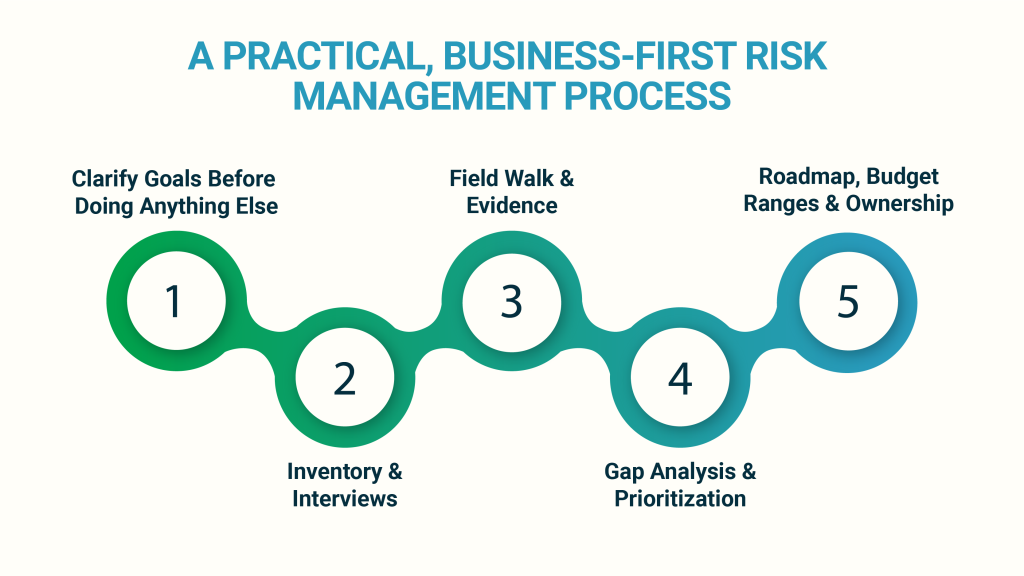
A Practical, Business-First Risk Management Process
Step 1: Clarify Goals Before Doing Anything Else
What will success look like in 90 days and in one year? More uptime, faster response to incidents, lower telecom cost, or cleaner compliance footprint?
Step 2: Inventory & Interviews
- Light discovery: Systems list, licenses, contracts, and a quick walk-through.
- User interviews: What slows sales, support, and ops today?
Step 3: Field Walk & Evidence
- Map cameras, test lighting, verify door states, and capture sample call flows.
- Pull actual metrics: jitter/packet loss for voice, camera uptime, and access logs.
Step 4: Gap Analysis & Prioritization
- Score each finding by business impact and effort to remediate.
- Distinguish quick wins (config changes, policy fixes) from projects (migrations).
Step 5: Roadmap, Budget Ranges & Ownership
- Provide a 6–12 month plan with cost ranges, dependencies, and the owners of each area so execution is straightforward.
Pro tip: Keep the final deliverable to 10–12 pages. Executives need clarity, not a binder.
Best Practices That’ll Keep Paying Off
- Tie actions to outcomes. “Enable MFA” becomes “Reduce account-takeover risk and unlock cyber insurance discounts.”
- Favor the cloud, where it simplifies. Cloud video and access control centralize admin and scale easily across sites.
- Eliminate shared credentials. Move to mobile badges/unique PINs; link door events to video for accountability.
- Consolidate vendors. One partner for voice, cameras, access, and cabling speeds issue resolution.
- Document and drill. A short incident playbook + quick tabletop once a year beats a dusty policy doc.

What About Objections to an IT Risk Assessment?
“We just upgraded a few years ago.”
Great! Then, an assessment should be quicker to complete and validate the investment. We might find ways to tune configurations and spot low-cost wins you can make now. But best of all, you put into place a framework of evaluation moving forward.
“We can’t afford a big project.”
You don’t need one. Start with quick wins (e.g., call routing fixes, MFA, removing shared door codes) and phase larger items over quarters. Many Dove clients fund improvements by eliminating redundant tools like separate conferencing/chat apps, once UCaaS is in place.
“We’re small; do we really need this?”
Yes, because small gaps cause big headaches: missed calls, “lost” clips after an incident, or an open door at the wrong time. A focused assessment fixes the few things that matter most.
Quick Reference: What to Evaluate and Why
| Area | What to Evaluate | Why It Matters |
| Network and Cabling | Redundancy, QoS, firmware, Wi-Fi heatmap | Prevents voice/video issues and downtime |
| Voice/UCaaS | IVR, mobile apps, integrations, and recordings | Better CX, fewer vendors, remote-ready |
| Surveillance | Coverage, night clarity, cloud access, AI | Faster investigations, centralized admin |
| Access Control | Unique credentials, visitor flow, video link | Accountability and simpler management |
| Policies/Response | Notification, playbooks, training | Cuts response time when seconds matter |
Why You Should Partner with Dove for Your Assessment
- One partner, complete view. Phones/UC, surveillance, access control, cabling, and carrier services are evaluated together so there are no gaps between teams or vendors.
- Cloud-first where it counts. Centralized, secure, and scalable solutions for video and access control.
- Local expertise and support. LA-based technicians with emergency availability and decades of field experience.

Are You Ready for a Baseline to See Exactly Where You Stand?
A short, business-focused technology assessment can be the most valuable half-day you spend this quarter. You get clarity, costed options, and a practical order of operations. If you would like to focus on exposure and resilience, consider adding an IT risk assessment track to your engagement.
Next step: Tell us your top two goals (cost, risk, growth, or compliance), and we’ll tailor the scope to fit your needs. No jargon. No fluff. Just a plan you can act on.
Get your assessment started: Dove Communications IT Services

